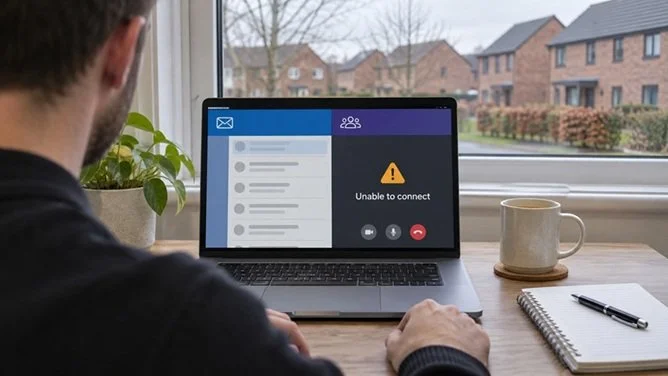
A home worker experiencing connection problems. The Microsoft 365 outage disrupted Outlook and parts of Teams, affecting access to work emails and meeting invites for some users. Illustration for Great Park Gazette
A global Microsoft 365 outage has disrupted Outlook, Teams and Microsoft 365 Copilot, with problems continuing into Friday morning in the UK. For people working in Newcastle Great Park or logging on from home, the disruption could mean a stalled inbox, trouble arranging meetings and losing access to AI tools they use to catch up on emails or prepare for calls.
UK reports of Teams problems rose at around 6.15pm on Thursday 12 November, according to outage tracker Downdetector. In an update reported shortly after 9am on Friday, Microsoft said services were showing early signs of recovery, but capacity was still below normal and reliability varied as engineers brought servers back online. The number of households and businesses affected in Great Park remains unknown.
Why are Outlook and Teams affected?
The disruption has centred on Exchange Online, the service that handles email and calendars for many workplaces using Microsoft 365. Some Outlook users have struggled to open their inboxes, while others have experienced delays sending or receiving messages. The same work mailbox can be affected on a laptop, phone and web browser because all three connect to the same service.
The impact on Teams can be uneven. Microsoft said chats and online meetings remained largely functional, while calendar features and meeting scheduling were affected. Someone who already has a meeting link may still be able to join, even if colleagues are having trouble opening their calendars or receiving a new invitation.
How are OneDrive and SharePoint affected?
Microsoft said files could still be opened directly from SharePoint Online, although features that depend on its Exchange Online email service could be disrupted. If you’re working from home in Great Park and the email with a document link is delayed or won’t open, try going straight to your team’s SharePoint site and opening the file from the document library. Microsoft’s service update, reported by Computerworld
UK users also reported problems with OneDrive, which the University of Manchester included in its outage alert to staff. If a document is already available on your device, you may be able to keep editing it. Save it in a location your employer approves and check that your changes have synced before telling colleagues the shared copy is ready. If the file is only stored online, you may need to wait until you can open it again. ITV News · University of Manchester staff alert
How is the outage affecting Microsoft 365 Copilot?
Microsoft 365 Copilot, the AI assistant built into workplace apps such as Outlook and Teams, was among the services affected. Some users could have trouble loading it. That matters if your usual Friday routine involves asking it to summarise an email chain before replying, pull together background for a meeting or list the actions agreed on a Teams call.
Some Copilot tasks depend on access to the underlying email or meeting information. A call can still go ahead while AI assistance is unavailable, so it’s worth nominating someone to note decisions and deadlines if the team normally relies on a recap. If you’re preparing for a call and can’t reach the relevant email thread, ask a colleague to confirm the agenda through an approved work channel. Keep confidential emails, meeting notes and customer information within tools your employer has approved.
What could this mean for people working in Great Park?
If you’re working from home and other websites load normally while your work inbox or Teams calendar won’t open, check with your employer’s IT team before spending time troubleshooting your broadband. Colleagues in the office may be relying on the same Microsoft services, so check what’s working there before making a trip in.
For small businesses and self-employed residents, the immediate problem may be as simple as a missing booking confirmation or a customer who hasn’t seen a quote. If a job, delivery or appointment depends on a reply today, a quick call to a number you already have can settle whether it’s going ahead.
What can you do while services recover?
Use an agreed backup for urgent messages. Tell your manager or team how to reach you. For a time-sensitive customer enquiry, use an established phone number or another work-approved channel.
Try the meeting link you already have. Check a saved invite or an existing Teams chat. If you’re organising the call, agree a fallback with attendees and keep a written note of decisions if Copilot is unavailable.
Work on files you can already open. Save drafts in your usual approved work storage and check that changes sync when access returns.
Check before resending. Look in your Outbox and Sent Items when you can get back in. Microsoft extended the delivery retry window to 48 hours to help preserve delayed mail. If receipt matters today, confirm it directly.
When will Microsoft services return to normal?
Microsoft was still restoring capacity in its Friday morning update. The company said it was unaware of any malicious activity behind the disruption and would publish a report on the cause after recovery. Your employer’s IT team can check the Microsoft 365 admin centre for updates specific to your organisation. Microsoft’s public service health page.
Have your say
Has the outage affected your working day in Great Park? Have you had trouble reaching customers, missed a meeting invite or had to work without Copilot? Share your experience in the Great Park Residents Group on Facebook.

